Candy AI Character Studio: design your own character’s look
Character Studio is Candy AI’s tool for designing a custom character’s appearance in detail. You open it through Create Character, then Realistic, then Character Studio, start from a preset or from scratch, adjust the look, and add a name, a context and a greeting. This page follows the documented steps and marks what the help center leaves unsaid.
Last checked:
Where it is and how it works
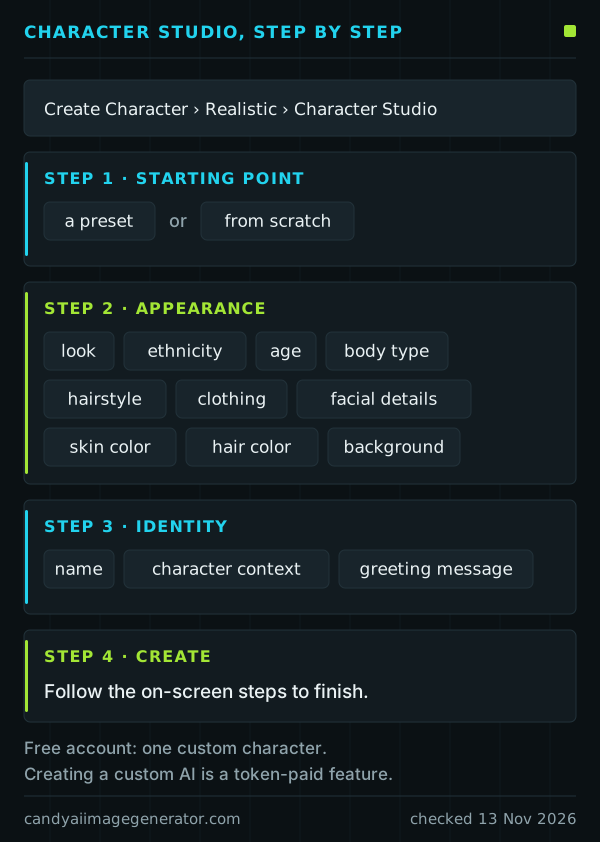
The documented path is Create Character, then Realistic, then Character Studio. Four steps follow.
- Choose a starting point: one of the presets, or a blank start.
- Shape the appearance. The listed options include look, ethnicity, age, body type, hairstyle, clothing, facial details, skin color, hair color and background.
- Add the identity: a name, the character context and a greeting message.
- Create. Follow the on-screen steps to finish.
The help-center article, updated on 13 November 2026, names these options but does not explain each control, so this guide does not describe the screens themselves.
Create My AI version 2
Create My AI is Candy AI’s feature for building a custom character. Its current version 2 lets you create characters without a limit on their number, and it currently covers three ethnicities: Caucasian, Asian and Latina. Others are described as in development.
Two cost facts belong next to that. A free account can create one custom character. And the help center’s list of token uses includes creating a custom AI, without giving a price, so check what Candy AI shows before you confirm. The tokens and cost page has the rest.
Personas: a profile of you
A persona is the other half: a description of you rather than of the character. It is created under My Profile, then Settings, then Your Personas, and can hold a name, age, gender, location, occupation, interests, hobbies and appearance. Characters use it as context in conversation.
Some fields are reserved for Premium Plus, which lists user personas among its benefits.
After creation: what you can and cannot fix
What the help center documents:
- Images can still vary. Exact hair color or clothing is not guaranteed from one image to the next, so a designed look is a baseline, not a lock.
- Chat mode is a one-way door. Create My AI characters can switch from Classic to Roleplay mode, and the switch is permanent for that character.
- A reset clears memory. Resetting or deleting a chat also clears that chat’s memory, and deleted conversations cannot be recovered.
- Cancelling keeps the character. Characters, chats and images stay as long as the account exists.
What it does not document, in the articles we read, is changing a finished character’s appearance. Treat the design step as final until Candy AI shows you otherwise.
Pictures of your own character
Better pictures of the character start with better requests: see the prompt guide. Before posting any of them, read the usage rights page. Candy AI’s sharing rule allows images of your own Create My AI characters on personal, unmonetized social accounts, and nothing commercial.
Affiliate link. Adults 18+ only.
Sources
Candy AI help-center articles used on this page, read on 13 November 2026.
- What is Character Studio?
- What’s new with the Create My AI functionality?
- What is Create Your Persona?
- What is “Create your Persona” (for Premium Plus users)?
- What is Premium Plus?
- How do I change chat mode or personality settings?
- What is Multi Mode Chat?
- What can I do as a free user?
- What can I do with tokens?
- How can I get the best possible results when generating images?
- Why can’t I delete my chats?
- Can I recover accidentally deleted conversations?
- Do I lose my content and tokens after I cancel my subscription and my account goes back to the Free service?
- Can you share your content on social media or other public platforms?